

To play games you need a PC with at least a dedicated graphics card such as the NVIDIA RTX 5060 or AMD Radeon RX 9060 XT, a recent quad-core processor (Ryzen 5 or Intel Core i5), 16 GB of DDR5 RAM and an NVMe SSD. The realistic minimum budget for a smooth Full HD gaming experience starts at around €700-800, while for 1440p or 4K gaming you're looking at €1,200-2,500 depending on the performance you want. The right choice depends on the games you want to play, your monitor's resolution and the frame rate you consider acceptable.
Choosing the right PC for gaming can feel complicated. Between acronyms like RTX, DDR5, NVMe and an endless list of models and configurations, it's easy to get lost. The good news is you don't need to be an engineer to make the right choice: you just need to understand what you want to achieve, how much you want to invest, and which components really make a difference.
In this guide we cover every aspect of choosing a Gaming PC, from the core components to concrete configurations for every price range. Whether you're looking for a machine to dominate competitive titles like Valorant and CS2, or a system capable of running Cyberpunk 2077 with ray tracing maxed out, here you'll find everything you need to know.
First Things First: What Do You Want to Do with Your Gaming PC?
Before even looking at spec sheets and price lists, stop for a moment and answer three fundamental questions. These answers, not passing trends or a friend's advice, are what determine which PC is really right for you. A Gaming PC isn't a generic product: it's a machine that needs to be tailored to your specific needs, and starting from these questions helps you avoid the classic mistake of overspending on things you don't need, or underspending and ending up with disappointing performance.
Which Games Do You Want to Play?
The type of games you intend to play directly determines the hardware power you need. eSports and competitive titles like Valorant, League of Legends, Fortnite, CS2 and Rocket League are designed to run well on a wide range of hardware. These games are optimised to stay smooth even on modest configurations, because their goal is to make the experience accessible to as many players as possible. For these titles, a €700-900 PC delivers excellent performance with frame rates well above 100 FPS in Full HD.
The latest-generation AAA games tell a completely different story. Titles like Cyberpunk 2077 with path tracing, Alan Wake 2, Indiana Jones and the Great Circle, or the upcoming GTA VI require far more computing power, particularly from the graphics card. These games take advantage of advanced technologies like ray tracing, ultra-high-resolution textures and extremely detailed open worlds. To enjoy them at their best, you need a mid- to high-range configuration, with an investment starting from €1,200 and potentially exceeding €2,000 for maximum visual quality.
There are also intermediate categories: sandbox games like Minecraft or Terraria, simulators like Microsoft Flight Simulator (extremely demanding on both CPU and GPU), and VR games, which require a very stable frame rate and dedicated hardware. Being clear on this point helps you avoid over- or under-sizing your purchase.
What Resolution and How Many FPS Do You Want?
Monitor resolution and desired frame rate are the two parameters that most affect the choice of graphics card, which is the most expensive component of the PC. Full HD (1080p) remains the most widely used resolution and offers a great balance between visual quality and performance. It's the ideal starting point for anyone new to PC gaming and for those playing competitive titles where smoothness matters more than graphical detail. With a good entry-level GPU you can easily reach 60-144 FPS in modern games.
QHD (1440p) is what many consider the perfect middle ground between quality and performance. The image is noticeably sharper than Full HD, details are more defined, and the overall experience takes a clear step up. However, you need a mid-range graphics card such as the RTX 5070 or the Radeon RX 9070 XT to maintain a high frame rate with high detail settings.
4K (2160p) is the highest level of visual detail available today, but it requires high-end hardware. An RTX 5080 or 5090 is practically essential for playing in 4K with ray tracing enabled and maximum detail without dropping below 60 FPS. The cost of a 4K gaming build starts from €2,000 and climbs quickly from there.
A practical tip: there's no point investing in a 4K-capable GPU if your monitor is a 60 Hz Full HD panel. The PC configuration needs to match the monitor you use or plan to buy, otherwise you're paying for performance you'll never actually see.
How Much Do You Want to Invest? Realistic Budget Ranges
Let's talk actual numbers. Browsing online you'll find articles promising Gaming PCs for €300 or €400. The reality is different: for a gaming experience that isn't frustrating, with current-generation hardware rather than components from three generations ago, the realistic minimum budget is around €600-700 for Full HD gaming.
Price ranges break down fairly predictably. With €600-900 you get a PC capable of handling the vast majority of games in Full HD with good graphics settings. The €1,000-1,500 range is where the price-to-performance ratio peaks, with great configurations for QHD gaming and more than respectable results in 4K. Above €1,800 you enter high-end build territory, designed for those who want the very best in 4K, with ray tracing enabled and no compromises. Beyond €3,000 we're talking enthusiast configurations, often featuring flagship components like the RTX 5090, aimed at those who treat gaming as a genuine passion with no budget limits.
Keep in mind that on top of the PC's cost you'll need to add a monitor, keyboard, mouse and headset if you don't already own them. These accessories affect your overall experience just as much as the internal hardware. To dig deeper into this topic, check out our article on how much a good gaming PC costs.
The Key Components of a Gaming PC

A Gaming PC is an ecosystem of components that need to work in harmony. There's no point having the most powerful graphics card if the processor can't keep up, just as there's no point in a top-of-the-line processor if the GPU ends up bottlenecking everything. Understanding the role of each part lets you allocate your budget intelligently, avoiding waste and bottlenecks. To learn how to evaluate a complete configuration, also read our guide on how to recognise a good Gaming PC.
Graphics Card (GPU): The Most Important Component
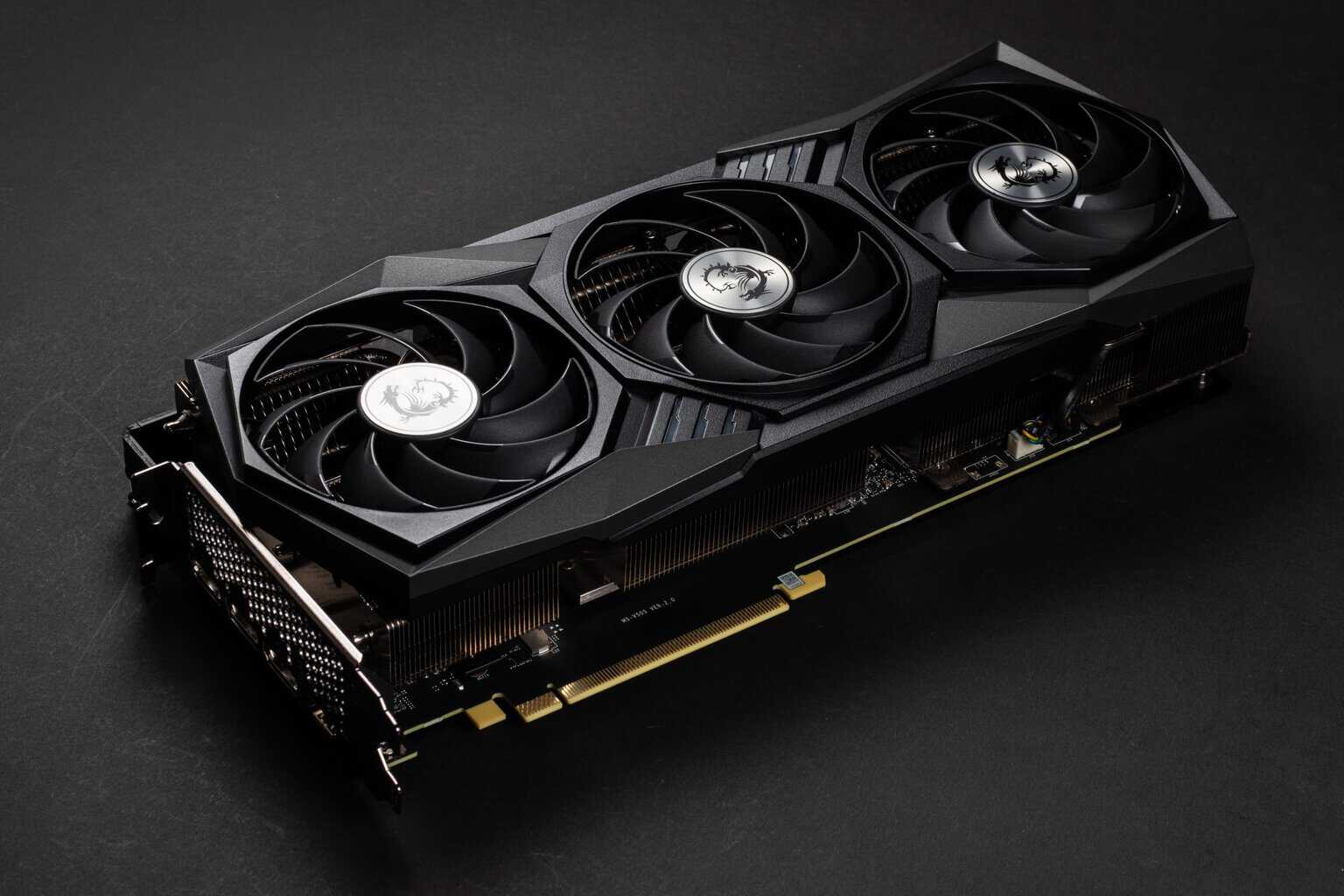
The graphics card is the beating heart of any Gaming PC. It's the component with the greatest impact on in-game performance, which is why it's also where you should invest the largest slice of your budget. The GPU is responsible for generating every single frame you see on screen: the more powerful it is, the higher the resolution you can play at and the higher the frame rate you'll achieve.
In today's landscape, the two main families are NVIDIA GeForce RTX 5000 series (Blackwell architecture) and AMD Radeon RX 9000 series (RDNA 4 architecture). The NVIDIA series stands out for its support of DLSS 4 with Multi Frame Generation, an AI-based technology that multiplies the frames generated and dramatically improves perceived smoothness. AMD graphics cards counter with FSR (FidelityFX Super Resolution), an open alternative that delivers a solid performance boost without requiring dedicated hardware.
To help you navigate the options, here's an overview of the most relevant GPUs today. The RTX 5060 with 8 GB of GDDR7 VRAM is the entry point of NVIDIA's new generation, perfect for Full HD gaming at high settings and capable of handling 1440p with DLSS enabled. The RTX 5070 with 12 GB GDDR7 is the ideal choice for native 1440p with ray tracing, the true sweet spot of the current line-up. The RTX 5080 with 16 GB is built for uncompromising 4K gaming. On the AMD side, the Radeon RX 9060 XT and RX 9070 XT offer an often more aggressive price-to-performance ratio, with the 9070 XT positioning itself as a direct rival to the RTX 5070 in pure rasterisation.
One parameter not to overlook is VRAM (Video RAM). For modern Full HD gaming, 8 GB is the acceptable minimum. For 1440p with high-resolution textures, 12 GB is a safe choice. For 4K, it's worth aiming for 16 GB or more, especially with games loading ultra-detailed textures.
Processor (CPU): The Brains of the Operation
The processor handles all the game logic: object physics, enemy AI, trajectory calculations and the coordination of every background process running in the operating system. In modern games, an inadequate CPU creates what's known as a bottleneck—a situation where the processor can't send data to the GPU fast enough, hurting performance even with an extremely powerful graphics card.
For gaming, single-core performance (the speed of an individual core) matters more than the total core count. This is why processors like the AMD Ryzen 7 7800X3D and the Ryzen 7 9800X3D, thanks to 3D V-Cache technology that massively increases available cache, are considered among the best for gaming overall, despite having fewer cores than flagship models.
For the different price ranges, the choice becomes simpler: in the entry-level segment, an AMD Ryzen 5 7600 or an Intel Core i5-14400F offer excellent gaming performance at a contained cost. In the mid-range, the Ryzen 7 7800X3D is the undisputed king of gaming thanks to its V-Cache, while the Intel Core i5-14600K is a versatile alternative that's also great for productivity. For the high-end segment, the Ryzen 9 9800X3D is the ultimate gaming processor, while the Intel Core i7-14700K(F) offers an excellent balance between gaming and heavy workloads such as streaming and rendering.
RAM and Storage: How Much Memory Do You Need for Gaming
RAM (random access memory) is where the system temporarily stores data it needs to access quickly during use. For gaming in 2025-2026, the benchmark is clear: 16 GB of DDR5 RAM is the minimum for a smooth experience, but 32 GB is the recommended choice. With 32 GB you have headroom for multitasking (gaming with Discord, browser and streaming running in the background), for more demanding games that are starting to require more than 16 GB, and to ensure your build stays relevant longer.
RAM speed affects performance, especially with AMD Ryzen processors, which benefit from higher frequencies. A DDR5 kit at 6000 MHz with CL30 or CL36 latencies is an excellent reference point. There's no need to chase extreme speeds: the FPS gain between a 6000 MHz kit and a 7200 MHz one is often negligible in gaming.
As for storage, the era of mechanical hard drives (HDDs) for gaming is well and truly over. An NVMe SSD of at least 1 TB is the bare minimum. Modern games average 50-100 GB each (and titles like Call of Duty easily exceed 200 GB), so having enough space is essential. A PCIe 4.0 NVMe SSD offers read speeds above 5,000 MB/s, drastically cutting loading times compared to an old hard drive. If your budget allows, a second 1-2 TB SSD dedicated to your game library is an investment that noticeably improves quality of life.
Power Supply, Motherboard and Cooling: The Hidden Pillars
These are the less flashy components, but they're absolutely crucial for system stability and longevity. The power supply (PSU) needs to deliver stable, sufficient power to every component. The golden rule is to choose an 80 Plus Gold-certified model or higher, with a wattage offering a 20-30% margin over the system's total power draw. For a build with an RTX 5060, a 550-650W power supply is sufficient. With an RTX 5070 or 5080, you should go up to 750-850W. Builds with an RTX 5090 require at least 1000W.
The motherboard is the platform that connects all the components and determines future upgrade possibilities. For AMD Ryzen 7000/9000 series processors you need a board with an AM5 socket (B650 or X670 chipset for more advanced features). For the latest Intel processors, the LGA 1700 socket with a B760 or Z790 chipset is the standard choice. You don't need the most expensive motherboard on the market: a good B650 or B760 offers everything you need for gaming, including M.2 slots for NVMe SSDs, up-to-date USB ports and DDR5 support.
Cooling deserves attention, especially with high-end CPUs that generate a lot of heat under load. A good-quality tower air cooler is sufficient for processors like the Ryzen 5 7600 or the Intel Core i5-14400F. For more powerful models like the Ryzen 7 7800X3D and above, a 240 mm or 360 mm AIO liquid cooler ensures optimal temperatures and quiet operation, as well as adding a nice aesthetic touch to the build.
The Best Gaming PC Configurations for Every Budget

Let's move from theory to practice. Below you'll find three sample configurations, designed to cover the needs of most gamers. Each build is balanced to avoid bottlenecks and give you the best possible performance for its price range. Keep in mind that the prices shown are indicative and subject to change based on market availability.
Entry-Level Gaming PC (€600-900): Full HD Gaming Without Compromise
This configuration is designed for those who want to enter the world of PC gaming with a modest investment but without giving up a satisfying gaming experience. It's the ideal build for eSports and competitive titles, and it can also handle recent AAA games in Full HD with medium-high graphics settings.
The key components of an entry-level build include: an AMD Ryzen 5 7600 or Intel Core i5-14400F processor, an NVIDIA RTX 5060 8GB or AMD Radeon RX 9060 XT graphics card, 16 GB of 5600 MHz DDR5 RAM, a 1 TB NVMe SSD, a B650 (AMD) or B760 (Intel) motherboard, a 550W 80 Plus Bronze power supply and an entry-level tower air cooler.
What to expect: 60-144 FPS in Full HD across virtually every game, including titles like Fortnite, Valorant, Cyberpunk 2077 (medium settings), Elden Ring and Baldur's Gate 3. With DLSS or FSR enabled, many games reach even higher frame rates. It's a machine that also lets you dip into 1440p in less demanding titles.
If choosing each individual component and building everything from scratch feels daunting, you can explore our pre-built Gaming PC configurations, designed exactly for this price range, with the added benefit of already being tested, optimised and covered by warranty. The Breunor Mirage and Breunor Specter models are built precisely for this purpose.
Mid-Range Gaming PC (€1,000-1,500): The Sweet Spot for QHD
This is where the price-to-performance ratio really peaks. A configuration in this range lets you play in QHD (1440p) with high or maximum settings in the vast majority of titles, and handle Full HD at very high frame rates for competitive gaming.
The reference build includes: an AMD Ryzen 7 7800X3D processor (the king of gaming thanks to V-Cache) or Intel Core i5-14600K, an NVIDIA RTX 5070 12GB or AMD Radeon RX 9070 XT graphics card, 32 GB of 6000 MHz DDR5 RAM, a 1 TB NVMe SSD (with room to add a second one), a good-quality B650 motherboard, a 750W 80 Plus Gold power supply and a 240 mm AIO liquid cooler.
With this configuration you can expect: smooth 1440p gaming at 80-144 FPS with high settings in most AAA games, ray tracing enabled with DLSS support for a top-tier visual experience, and excellent performance in eSports titles with frame rates comfortably above 200 FPS in Full HD. It's also a machine ready for 4K gaming in less demanding titles or with the help of upscaling. If you're considering this range, take a look at our mid-range Gaming PCs, already tested and ready to use.
Builds like the Breunor Zephyr and the Breunor Odin sit exactly in this range, with the added value of professional assembly, a 24-hour stress test and pre- and post-sale support that makes all the difference when buying a complex system.
High-End Gaming PC (€1,800-2,500+): 4K Gaming with Ray Tracing
This is the range for those who don't accept compromises. A PC of this calibre handles any game in 4K with maximum settings and ray tracing enabled, while maintaining a smooth and consistent frame rate. It's also the right choice for those using the PC for demanding creative work such as 4K video editing, high-quality streaming or 3D modelling.
The reference configuration includes: an AMD Ryzen 9 9800X3D or Intel Core i7-14700K(F) processor, an NVIDIA RTX 5080 16GB graphics card (or RTX 5090 32GB for those with no budget limits), 32-64 GB of 6000 MHz DDR5 RAM, a 2 TB NVMe SSD (or a 1TB + 2TB combination), a high-end X670E or Z790 motherboard, an 850-1000W 80 Plus Gold power supply and a 360 mm AIO liquid cooling system.
Expected performance includes: 4K gaming at 60-120+ FPS with all settings maxed out in nearly every title, advanced ray tracing (path tracing in supported titles) without noticeable drops, the ability to handle high refresh rate monitors (4K at 120-144 Hz) and professional-grade performance for productivity and content creation.
For configurations at this level, assembly and component selection become particularly critical. Case airflow, cable routing, thermal paste quality and BIOS tuning are all factors that affect final performance. This is why many experienced users choose to rely on industry professionals rather than risk a DIY build with components of this value.
Build It Yourself or Buy a Pre-Built PC?

This is one of the most debated questions in the gaming community, and the honest answer is: it depends. Both paths have real pros and cons, and the right choice depends on your experience level, how much time you want to dedicate, and your tolerance for risk.
Benefits and Risks of DIY Building
Building a PC yourself can be a rewarding experience. You choose every single component, you learn how the machine works, and you have full control over the configuration. In theory you can also save some money on the overall cost, especially if you're willing to hunt for deals and wait for the right moment to buy each part.
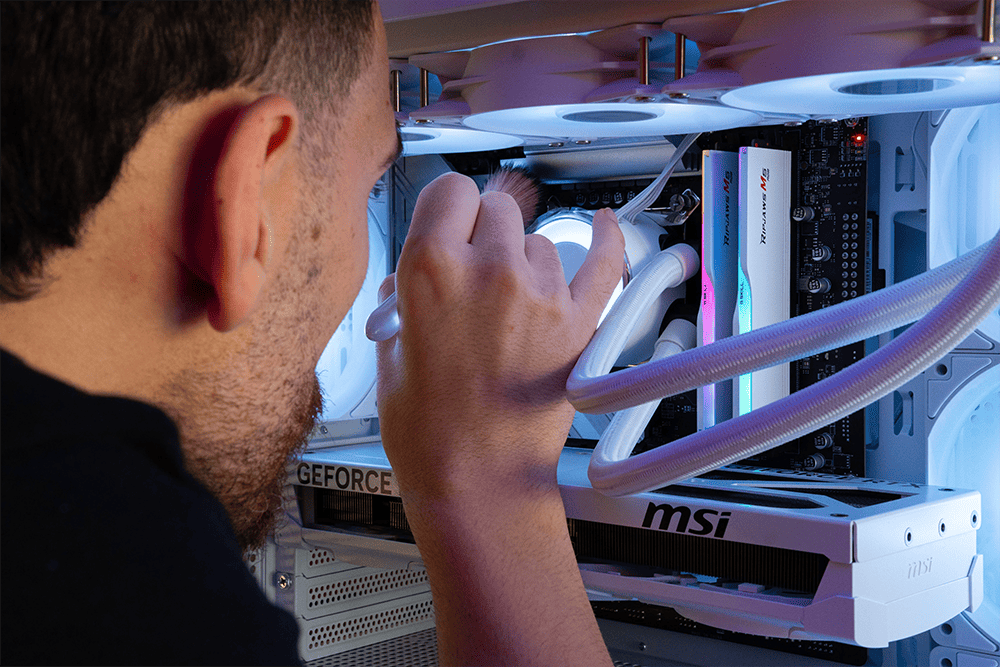
The risks, however, are real. The most common mistake is choosing components that aren't perfectly compatible with each other: a motherboard with a BIOS that hasn't been updated to support a new CPU, an undersized power supply causing instability, or a case too small for the graphics card you chose. Then there are the risks tied to physical assembly: a badly mounted cooler, incorrectly applied thermal paste, or a forgotten cable can turn an expensive purchase into a frustrating experience. Warranty coverage, moreover, is fragmented across different manufacturers for each component, which complicates dealing with any issues that arise.
Why a PC Built by Professionals Makes a Difference
A PC built by professionals eliminates all the uncertainties of the DIY approach. Every component is selected to guarantee full compatibility, configurations are balanced to avoid bottlenecks, and the system is stress-tested before shipping to verify stability and performance.
Here at Breunor, for example, we put every PC through a full 24-hour stress test before shipping. We use exclusively original, high-quality components, also thanks to direct partnerships with manufacturers like NVIDIA and MSI (we're an MSI Platinum Partner). Every machine is carefully assembled in our workshop, from cable routing to BIOS tuning, and arrives at your door ready to use with Windows installed and optimised.
On top of this, you get dedicated pre- and post-sale support, a 2-year Italian warranty covering the entire system (not component by component), and the option to customise every configuration through our online PC configurator or by contacting our team directly. For many gamers, especially those with no assembly experience or who simply prefer spending their time playing rather than building hardware, relying on a professional is the most logical and safest choice.
GPU Market Situation 2025-2026: What to Know Before Buying
The graphics card market is going through a particularly turbulent phase that every potential buyer should be aware of. Starting from late 2025, GPU prices have seen significant increases worldwide, with average rises of 15% in just three months according to analysis conducted by TechSpot across ten different markets.
The main cause is the growing demand for DRAM memory (GDDR6 and GDDR7) from AI data centres, which is absorbing a large share of global production capacity and leaving the consumer market with reduced stock. The hardest-hit GPUs are the high-end models with lots of VRAM: the RTX 5080 and RTX 5090 have seen increases of 43% and over 50% respectively in some markets. The mid-range isn't immune either, with the 16 GB RTX 5060 Ti seeing price rises above 20%.
More affordable GPUs, such as the RTX 5060 and the 8 GB RTX 5060 Ti, have seen more modest increases (around 3-10%) and remain the easiest options to find at reasonable prices. On the AMD side, the Radeon RX 9000 series is showing smaller price increases compared to their NVIDIA counterparts, making them an increasingly appealing alternative for those seeking the best price-to-performance ratio.
What does this mean in practice? If you've identified the right configuration for you and found the components at a price you consider fair, don't wait around hoping for imminent price drops. Forecasts suggest the situation may not stabilise before the second half of 2026. Buying a ready-made configuration can also help you avoid the risk of buying an inflated-price GPU only to find that other components have gone up in the meantime.
Desktop PC or Gaming Laptop? How to Choose
The choice between a fixed desktop PC and a gaming laptop mainly comes down to one thing: is portability a priority for you or not? Modern gaming laptops have reached performance levels unimaginable just a few years ago, but they come with structural trade-offs that are important to understand.
A desktop PC offers superior performance at the same price point, because desktop components don't need to be miniaturised and have more room for heat dissipation. It's also easier to upgrade over time: swapping the graphics card, adding RAM or a second SSD are relatively simple operations. A gaming laptop, on the other hand, is largely non-upgradeable (GPU and CPU are soldered to the motherboard) and suffers from thermal constraints that can lead to thermal throttling, meaning automatic performance reduction to avoid overheating.
For equivalent performance, a gaming laptop costs significantly more than a custom-built desktop PC. If portability isn't a core requirement, a desktop PC is almost always the better choice for gaming, both in terms of raw performance and long-term value. If, on the other hand, you frequently move between home and university, or don't have space for a permanent setup, the latest-generation gaming laptops with mobile RTX 5070 GPUs and recent processors offer a more than valid experience, as long as you accept the trade-offs in weight, battery life and temperature.
Frequently Asked Questions: What PC Do You Need for Gaming?
How much does a good gaming PC cost?
A Gaming PC that offers a genuinely satisfying gaming experience starts at around €700-800. With this budget you get a machine capable of running modern games in Full HD with good graphics settings. The €1,000-1,500 range is where the best price-to-performance ratio is found, with builds capable of handling 1440p gaming at high settings. Above €1,800-2,000 you enter the high-end segment, designed for 4K and uncompromising performance. Cost can vary based on market availability and price fluctuations of components, particularly graphics cards.
Is AMD or Intel better for gaming?
In 2025-2026 the competition between AMD and Intel is tighter than ever, and there's no absolute winner. AMD has a slight edge in pure gaming thanks to processors with 3D V-Cache technology (such as the Ryzen 7 7800X3D and Ryzen 9 9800X3D), which deliver superior in-game performance thanks to the increased cache. Intel counters with highly competitive processors, especially in terms of value for money in the mid-range (Core i5-14400F, Core i5-14600K), and with greater versatility in mixed workloads. For pure gaming, AMD with V-Cache is the choice preferred by most experts. For mixed use that also includes heavy productivity work, Intel often offers a better overall balance.
How much RAM do you need for gaming?
In 2025-2026, 16 GB of DDR5 RAM represents the minimum for trouble-free gaming. However, 32 GB is now the recommended choice for several reasons: some recent games are starting to benefit from more than 16 GB, multitasking during gaming sessions (browser, Discord, streaming) consumes additional RAM, and having extra headroom ensures your configuration stays relevant longer. The recommended speed for DDR5 kits is at least 5600 MHz, with a sweet spot around 6000 MHz, especially with AMD Ryzen processors.
What is a bottleneck and how do you avoid it?
A bottleneck occurs when one PC component is significantly slower than the others and limits the performance of the entire system. The classic example is pairing a weak CPU with a powerful GPU: the processor can't prepare data fast enough for the graphics card, which ends up partially underused. The result is lower FPS than the GPU would otherwise be capable of producing. To avoid this, the rule is simple: choose components from the same performance tier. An RTX 5060 pairs well with a Ryzen 5 7600 or Intel Core i5. An RTX 5070 performs best with a Ryzen 7 7800X3D or Core i5-14600K. An RTX 5080 or 5090 requires a high-end processor like a Ryzen 9 or Core i7/i9.
Is it worth buying now or waiting?
This is the question that torments every tech enthusiast. The pragmatic answer is: if you need a PC now and you've found the components at a price you consider fair, buy now. The hardware market is cyclical, and there will always be a new product on the horizon. Waiting indefinitely simply means not gaming. In the current context, GPU prices are rising due to the global DRAM memory shortage, and forecasts suggest the situation could continue into the second half of 2026. Entry-level and mid-range cards (RTX 5060, RTX 5070, Radeon RX 9060 XT) remain the most accessible and available. If your budget fits into these ranges, now is a reasonable time to go ahead with your purchase.