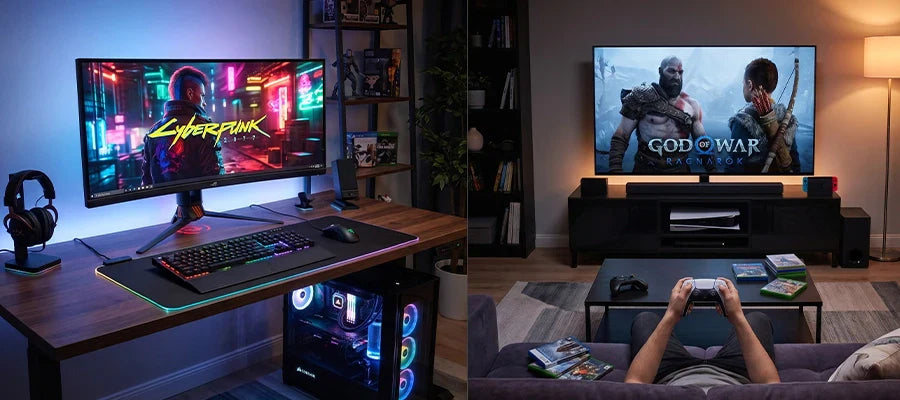


To choose the right graphics card for a Gaming PC, you need to start with three fundamental elements: your monitor's resolution (1080p, 1440p or 4K), your real budget, and the games you want to play. A 1080p GPU with 8-12 GB of VRAM covers the entry-mid range, a 1440p GPU needs at least 12-16 GB and a mid-high budget, while smooth 4K needs top-tier cards with 16+ GB of VRAM and power supplies of 850W or more. NVIDIA focuses on ray tracing and DLSS 4; AMD offers the best value for money with FSR 4.

Choosing the wrong graphics card is one of the most costly mistakes you can make when building or upgrading a Gaming PC. Not because of the price itself - but because you risk paying too much for power you won't use, or buying a GPU that will disappoint you after six months. The market in 2026 offers more choice than ever, with new generations from both major manufacturers - NVIDIA with the RTX 50 series and AMD with the RX 9000 series - changing the benchmarks even in the lower tiers.
In this guide, you'll find everything you need to make the right choice: from basic concepts explained clearly, to practical advice for every resolution and price range. If you'd like to jump straight to the action, you'll find a curated selection of Gaming PCs with graphics cards already configured as efficiently as possible.
What a graphics card actually does in a gaming PC
The graphics card - or GPU, from Graphics Processing Unit - is the component that generates every frame you see on screen while playing. Unlike the central processor (CPU), which is optimised to run a few complex operations in sequence, the GPU works in parallel on billions of simultaneous calculations: for every frame at 4K and 60 frames per second, it processes around 250 million pixels every second.
The practical result of this architectural difference is simple: without an adequate GPU, modern games don't run - or run badly. The frame rate drops, textures look grainy, and the gaming experience becomes frustrating rather than immersive. Conversely, with the right GPU, even graphically demanding titles like Cyberpunk 2077, Alan Wake 2 or Black Myth: Wukong run smoothly and look spectacular.
The GPU also affects aspects beyond simple gaming: the ability to stream in high quality without impacting in-game performance, hardware acceleration for video editing, and increasingly, running local AI models. If you're looking for components for a PC that does everything well, the GPU is the component you can't afford to skimp on.
Every GPU is manufactured by one of the two major chipmakers - NVIDIA or AMD - and then assembled into hundreds of variants by board partners such as ASUS, MSI, Gigabyte, Sapphire, PowerColor and others. These partners use the same base GPU but equip it with different cooling systems, slightly varied clock speeds and different PCB designs. Understanding this distinction matters: when you compare two RTX 5060 Ti cards from different brands, you're comparing variations of the same chip, not two radically different products.
The five factors that determine the right choice
Choosing a graphics card is a multi-variable process. There's no single number or spec that determines the absolute best GPU: it all depends on your system's context, your gaming habits and your budget. Here are the five factors you need to weigh before anything else.
1. Your monitor's resolution: the starting point
Monitor resolution is the most important parameter in choosing a GPU. It's also the simplest: the more pixels you need to render per frame, the more computing power your graphics card needs. A Full HD monitor (1920x1080 pixels) has around 2 million pixels per frame. A 2K or Quad HD screen (2560x1440 pixels) has over 3.6 million - almost double. A 4K panel (3840x2160) exceeds 8 million pixels per frame.
This means a graphics card that handles 120 FPS perfectly at 1080p on a demanding title might struggle to exceed 60 FPS at 1440p on the same game with the same graphics settings. The progression isn't linear: every resolution jump increases the load on the GPU significantly. If you don't have a definitive monitor yet and are building the system from scratch, it's best to choose your target monitor first - because that decision defines the entire hardware architecture of your setup.
Another related element is the monitor's refresh rate. A 144 Hz panel needs at least 144 frames per second to be fully utilised. A 240 Hz or 360 Hz panel, used mainly in competitive gaming, demands even more from the GPU. If your monitor is 60 Hz, on the other hand, there's no point spending significant money on a card that generates 200 FPS: you'd only be using a third of it.
The combination of resolution and refresh rate defines your performance target, and from there you can identify the right GPU tier. It's a choice worth making carefully, because getting it wrong - whether by overspending or underspending - is a mistake you pay for every time you launch a game.
2. VRAM: how much and which type is right
VRAM (Video RAM) is the graphics card's dedicated memory: it's where textures, shaders, frame buffers and all the graphical assets needed to render the scene in real time are loaded. It's different from system RAM, they're not interchangeable, and its amount has a direct impact on the achievable visual quality.
In 2026, VRAM requirements have increased significantly compared to just a few years ago. Modern games with high-resolution textures, ray tracing and cinematic-quality assets can easily saturate 8 GB of VRAM. For this reason, 8 GB is now considered the acceptable minimum for 1080p gaming, while for 1440p and 4K the threshold moves up to 12-16 GB and 16-24 GB respectively.
Beyond capacity, the type of memory and its bandwidth also matter. New-generation GPUs use GDDR6X or GDDR7 - faster and more efficient memory types compared to standard GDDR6. Higher bandwidth means the GPU can move more data from VRAM to its compute cores every second, reducing bottlenecks in complex, high-resolution scenes.
This table summarises the minimum and recommended VRAM requirements by resolution in 2026:
| Resolution | Minimum VRAM | Recommended VRAM | Notes |
|---|---|---|---|
| 1080p Full HD | 8 GB | 12 GB | For gaming with ultra textures and mods |
| 1440p Quad HD | 12 GB | 16 GB | Optimal for most titles |
| 4K Ultra HD | 16 GB | 20-24 GB | Necessary for stable ray tracing at 4K |
3. Budget: how to allocate it intelligently
Budget is almost always the limiting factor in choosing a GPU, and rightly so: a €1,500 graphics card is out of reach for most users, and often unnecessary. The good news is that the market in 2026 offers solid options at every price point.
The general rule is that the GPU should receive the largest share of the budget in a Gaming PC - roughly 30-40% of the total. If you're building a €1,500 system, it makes sense to invest €400-600 in the graphics card. If your total budget is €1,000, the optimal GPU falls around €250-350. The critical mistake to avoid is buying a high-end GPU and pairing it with mediocre components: an outdated processor, an insufficient power supply, or too little DDR5 RAM will neutralise the GPU's advantages.
Another common mistake is spending the maximum possible in the hope of it "lasting" more years. The reality is that every GPU generation brings significant improvements in energy efficiency, performance and support for new technologies. Buying the top tier from two generations ago often costs more than buying the mid-range of the latest generation, with comparable or lower performance. It's better to invest sensibly today, knowing that in three or four years a targeted upgrade will be needed anyway.
4. Compatibility with the rest of the PC
A new GPU is expensive and useless if it isn't compatible with your system. There are four practical aspects to check before any purchase.

The first is the motherboard's PCIe slot: modern GPUs use PCIe 4.0 or PCIe 5.0. Motherboards with a PCIe 3.0 slot can still run new GPUs, but with a slight reduction in bandwidth that in some cases affects performance. The second aspect is the graphics card's physical length: high-end GPUs can reach 340-360 mm in length and won't fit in every case. Before buying, check the maximum length supported by your case.
The third element is the power connector: recent GPUs use the 16-pin PCIe 5.0 connector (or the proprietary 12VHPWR connector), which requires adapters if your power supply is older. Finally, check the video output ports: modern GPUs offer DisplayPort 2.1 and HDMI 2.1, needed to take advantage of high-resolution, high-refresh-rate monitors. If you still have a monitor with only DVI, an adapter is often enough, but it's best to know this in advance.
5. NVIDIA or AMD: which ecosystem to choose
The choice between NVIDIA and AMD isn't just about performance per euro, but also a choice of software ecosystem. Both manufacturers offer excellent cards, but with different strengths that can affect your everyday experience.
NVIDIA is traditionally superior in ray tracing and AI upscaling quality with DLSS 4. Its Multi Frame Generation technology - present in the RTX 50 series - artificially multiplies frame rates with a latency impact that's manageable in most cases. NVIDIA's software ecosystem also includes NVIDIA App for automatic game optimisation, NVENC for high-quality streaming and recording, and generally faster developer support for new features.
AMD offers better performance-per-price in most price ranges. FSR 4 - AMD's answer to DLSS - has improved enormously in its latest version and works on any GPU, including previous generations and even NVIDIA cards. AMD's RX 9000 series cards, like the RX 9070 XT, are competitive with or superior to their NVIDIA counterparts in the mid-high range, often at more accessible prices. The choice between the two depends on how much you value NVIDIA's exclusive features versus AMD's pure value for money.
The technologies that change everything: DLSS 4 and FSR 4
A few years ago, upscaling technologies were considered a compromise: they boosted FPS but noticeably reduced visual quality. In 2026, this perception is completely outdated. NVIDIA's DLSS 4 and AMD's FSR 4 have reached a level of quality where - in Quality or Balanced mode - the visual result is practically indistinguishable from native rendering, with an FPS gain that can be 50-100%.
DLSS 4 (Deep Learning Super Sampling) uses an AI model trained on thousands of hours of rendering to reconstruct the image starting from a lower-resolution version. Version 4 also introduces Multi Frame Generation, which generates up to three synthetic frames for every real rendered frame. The result is a visually very smooth frame rate, although actual latency (input lag) increases proportionally to the number of generated frames. It's an ideal technology for those who want visual smoothness, less suited to competitive gaming where latency is critical.
AMD's FSR 4 (FidelityFX Super Resolution) also uses a machine learning-based approach, and in its fourth iteration competes directly with DLSS in both quality and performance. Unlike DLSS, FSR 4 isn't tied to proprietary hardware: it works on any GPU, including NVIDIA cards. This makes it a particularly democratic technology, available to anyone with a recent GPU regardless of brand.
Understanding these technologies is essential for choosing the right GPU because they change the cost of compute/performance. A mid-range graphics card with DLSS 4 in Balanced mode can handle 4K with a smoothness that, without upscaling, would require a much higher-tier GPU. This means you don't necessarily need to buy the most powerful GPU available: you just need to choose the right one for your target resolution with support for the most advanced upscaling technologies.
Graphics card by resolution: a quick guide by tier
After weighing all the parameters described above, the most practical way to get oriented is to start from your target resolution and filter options by budget. Here are the updated recommendations for 2026, with reference models for each tier.

Recommended GPUs for 1080p in 2026
Full HD remains the most-played resolution globally, and in 2026 it offers a very rich GPU ecosystem. The good news is that even with a limited budget, you can achieve very high frame rates - especially useful if you're using a 144 Hz or 240 Hz monitor for competitive gaming.
For those who mainly play competitive titles like Valorant, CS2, Fortnite or League of Legends - games that reward high frame rates more than visual quality - the optimal choice is GPUs like the NVIDIA RTX 4060 or the AMD Radeon RX 7600 XT. These models consistently deliver frame rates above 144 FPS even in less optimised titles, at a cost of around €250-350.
For those who want to play recent triple-A titles like Black Myth: Wukong, Cyberpunk 2077 or Alan Wake 2 with high or ultra settings at 1080p, the AMD Radeon RX 9060 XT (16 GB) is the most balanced choice of 2026: it offers 16 GB of VRAM at an accessible price point, handles ray tracing decently and supports FSR 4 to boost frame rates in heavier scenes.
Key requirements for 1080p gaming in 2026:
- Recommended minimum VRAM: 12 GB (8 GB is the absolute minimum, but 12 GB ensures greater longevity)
- Approximate GPU budget: €200-400
- Target frame rate: 60-144 FPS at high settings
- Recommended power supply: 550-650W
- Recommended CPU: Ryzen 5 5600 / Intel Core i5-12400 or higher
Recommended GPUs for 1440p in 2026
Quad HD (2560x1440) is, in 2026, the sweet spot of the gaming PC market: high enough resolution to look visually sharp even on 27-inch panels, without requiring the extreme computing power of 4K. It's the resolution that offers the best balance between visual quality and performance, and it's the one around which the mid-high GPU market is concentrated.
The AMD Radeon RX 9070 XT is considered the best GPU for performance-per-price in this tier in 2026: it offers 16 GB of GDDR6 VRAM, excellent 1440p performance across all recent titles, and full FSR 4 support. It also handles 4K with some compromise on graphics settings or with FSR active. The NVIDIA RTX 5070 Ti is the premium alternative with the most complete DLSS 4 ecosystem, including Multi Frame Generation, at a higher price that's justified if ray tracing is a priority.
For those who also want to stream without impacting in-game performance, NVIDIA GPUs remain the preferred option thanks to the latest-generation NVENC encoder, which produces higher-quality streams at an equivalent bitrate compared to the competition. AMD's RX 9000 series cards have significantly improved their AV1 encoder and are now a solid choice even for occasional streamers.
Recommended GPUs for 4K in 2026
4K gaming at high frame rates is still the domain of top-tier GPUs. If your goal is to play native 4K with ultra settings and ray tracing - without relying on upscaling to make up for missing power - you need to look at the highest tier of the market. The reference GPUs in 2026 are the NVIDIA RTX 5080 and RTX 5090, with 16 and 32 GB of VRAM respectively.
The RTX 5080 is the sensible entry point for "serious" 4K: it handles a stable 60 FPS with high or ultra settings on most titles, with ray tracing active and DLSS 4 in Quality mode to get close to 120 FPS on high-refresh monitors. The RTX 5090 is the most powerful GPU available in 2026 and is aimed at those who don't want to compromise or have a 144+ Hz 4K monitor. Prices in this tier start at €900 and go beyond €2,000 for the 5090 Founders Edition.
A more affordable alternative for 4K with upscaling is the AMD Radeon RX 9070 XT: with FSR 4 in Quality mode, it handles 4K with excellent visual quality on many titles, at a cost almost half that of NVIDIA's top tier. It's the right choice if 4K is your goal but you're not willing to spend more than €700-800 on the GPU.
Bottleneck: when the CPU holds back the graphics card
The CPU-GPU bottleneck is one of the most misunderstood topics in gaming hardware. In simple terms: if your CPU can't prepare data fast enough to feed the GPU, the graphics card will end up waiting - and its actual performance will fall short of its maximum potential. This is called a CPU bottleneck, and it can negate part of the investment made in a high-end GPU.
The good news is that CPU bottlenecking depends heavily on resolution. Playing at 4K shifts almost the entire load onto the GPU: at that resolution, even a mid-range processor like a Ryzen 5 5600 won't limit an RTX 5080. Conversely, playing at 1080p with high frame rates (200+ FPS) is where the CPU matters most: titles like CS2 or Valorant are very sensitive to processor speed, and an old or low-end CPU can limit even a mid-range graphics card.
As a rule of thumb: if you have a CPU from the last four or five years (Ryzen 5 5600 / i5-12400 or higher), you can pair most mid-range or high-end GPUs without worrying about bottlenecking, especially at 1440p and 4K. If you have an older or lower-end processor, consider a CPU upgrade before or alongside the GPU, so you don't waste the new card's potential.
A second type of bottleneck to consider is RAM: playing with less than 16 GB of DDR4 or DDR5 RAM can limit performance in recent titles. With 32 GB you're safe for any current gaming scenario, and DDR5 - now the dominant standard on the latest Intel and AMD platforms - offers higher bandwidth that also benefits GPUs in denser scenes.
>>> Discover Breunor's Gaming PCs: optimised configurations with GPU and CPU already balanced - no bottlenecks, maximum performance <<<
The power supply: the component nobody thinks about
The power supply (PSU) is one of the most underrated components when building a Gaming PC. Yet choosing an inadequate PSU can cause system instability, crashes during peak load moments, and in the worst cases, damage to components. With new-generation GPUs having much higher peak power draw than previous generations, this aspect matters more than ever.
Modern GPUs use the 16-pin PCIe 5.0 connector (or 12VHPWR), which can deliver up to 600W on a single card. High-end GPUs like the RTX 5080 have a TDP (Thermal Design Power) of 320-380W under normal conditions, with peaks that can go higher. An RTX 5090 can draw over 575W. Adding the consumption of the CPU, RAM, SSDs and motherboard, a system with a top-tier GPU requires a 1,000-1,200W PSU to operate safely and without tight margins.
As a general rule updated for 2026: for entry-mid range GPUs (RTX 4060, RX 7600 XT, RX 9060 XT), a 650W PSU is enough. For mid-high range GPUs (RTX 5070 Ti, RX 9070 XT), 750-850W is recommended. For top-tier GPUs (RTX 5080, RTX 5090), go straight to 1,000W or higher. Always choose PSUs certified 80 PLUS Gold or Platinum from reliable brands like Corsair, be quiet!, EVGA, Seasonic or Antec.
Quick summary of recommended wattage by GPU tier:
- Entry-level (RTX 4060, RX 7600 XT): 550-650W
- Mid-range (RTX 5060 Ti, RX 9060 XT 16GB): 650-750W
- Mid-high range (RTX 5070 Ti, RX 9070 XT): 750-850W
- Top tier (RTX 5080): 850-1,000W
- Ultra top tier (RTX 5090): 1,000-1,200W
Frequently asked questions about choosing a graphics card
How much VRAM do you really need for gaming in 2026?
In 2026, 8 GB of VRAM is the absolute minimum for 1080p gaming with medium settings. For playing with high or ultra settings at 1080p, or for 1440p gaming, 12-16 GB is recommended. 4K requires 16 GB as a minimum, with 20-24 GB for greater longevity. Avoid cards with only 8 GB if you plan to play recent titles with high-quality textures or mods that increase texture resolution.
Is NVIDIA or AMD better for gaming in 2026?
It depends on your priorities. If ray tracing, DLSS 4 (particularly Multi Frame Generation) and integration with the NVIDIA ecosystem (NVENC for streaming, Reflex for latency) matter to you, NVIDIA is the better choice. If you want the best performance-per-price and have no specific need for NVIDIA's exclusive features, AMD with FSR 4 offers excellent cards at often more competitive prices. In the mid-range, AMD is often the more cost-effective choice; at the top tier, NVIDIA retains the advantage in terms of software features.
Can I pair any GPU with my motherboard?
Almost always, yes, but there are a few things to check. Make sure your motherboard has a PCIe x16 slot (practically universal for years now). Check that the case has enough space for the length of the GPU you want to buy. Make sure the power supply has the necessary connectors and adequate power. Finally, if you have a very old CPU (more than 6-7 years old), consider whether it might become a bottleneck for the GPU you're considering.
Should I wait or buy now?
The classic - and correct - answer is: buy when you need it. The GPU market always has new products on the horizon, and waiting for the next generation means postponing indefinitely. That said, if a new GPU launch is imminent (officially announced within 2-3 months), it might be worth waiting, as prices for existing cards usually drop when new ones arrive. If there are no imminent announcements, buying now is always the wiser choice.
Does a more expensive GPU last longer over time?
Not necessarily. A high-end GPU is often overkill for today's needs, which makes it "future-proof" - but only to a limited extent. Every generation introduces significant performance leaps, and a top-tier card from 2024 could be outclassed by a mid-range card from 2027. The most efficient strategy is to buy the GPU that covers your current needs with a reasonable margin, and upgrade when the new generation offers a significantly better performance-per-price ratio.