
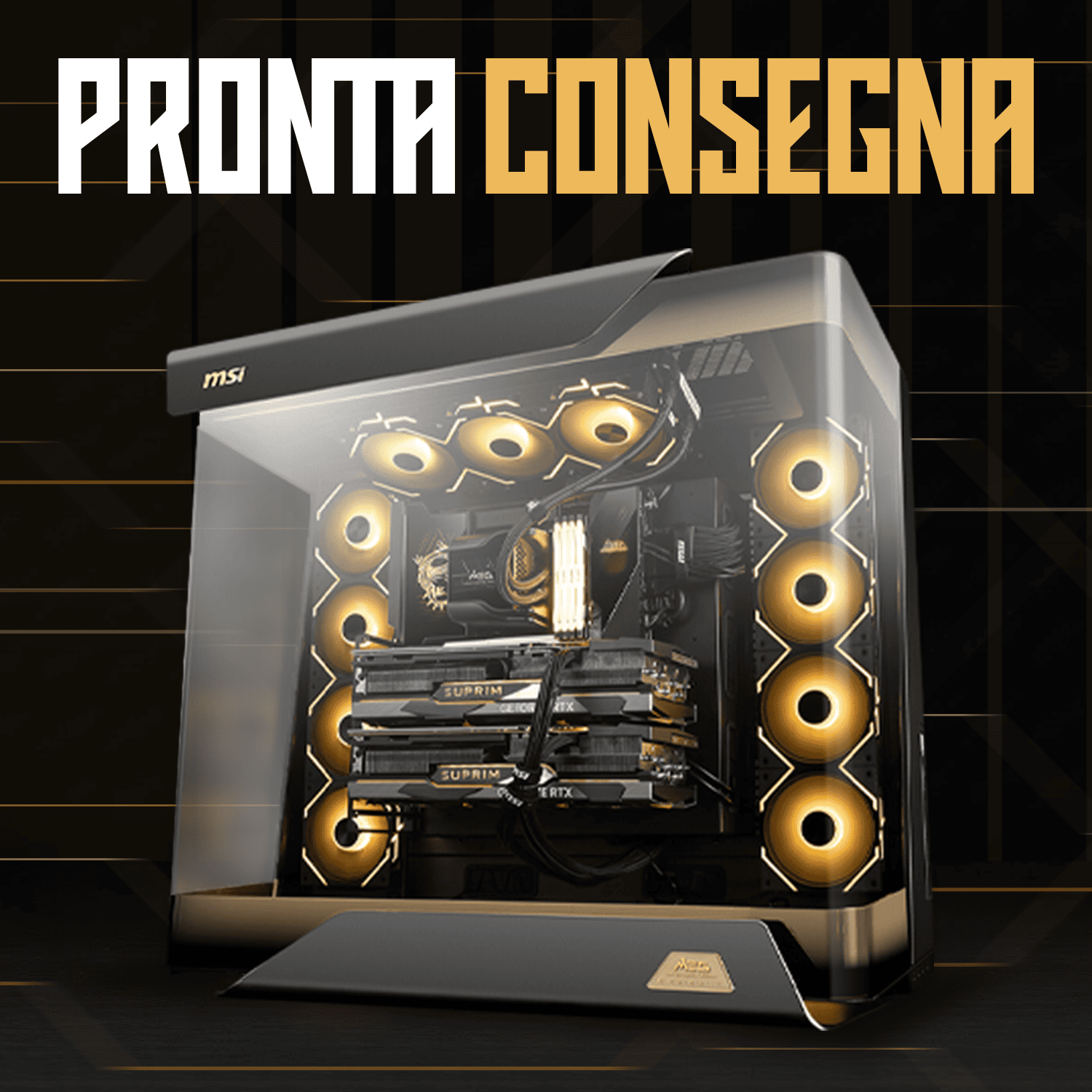
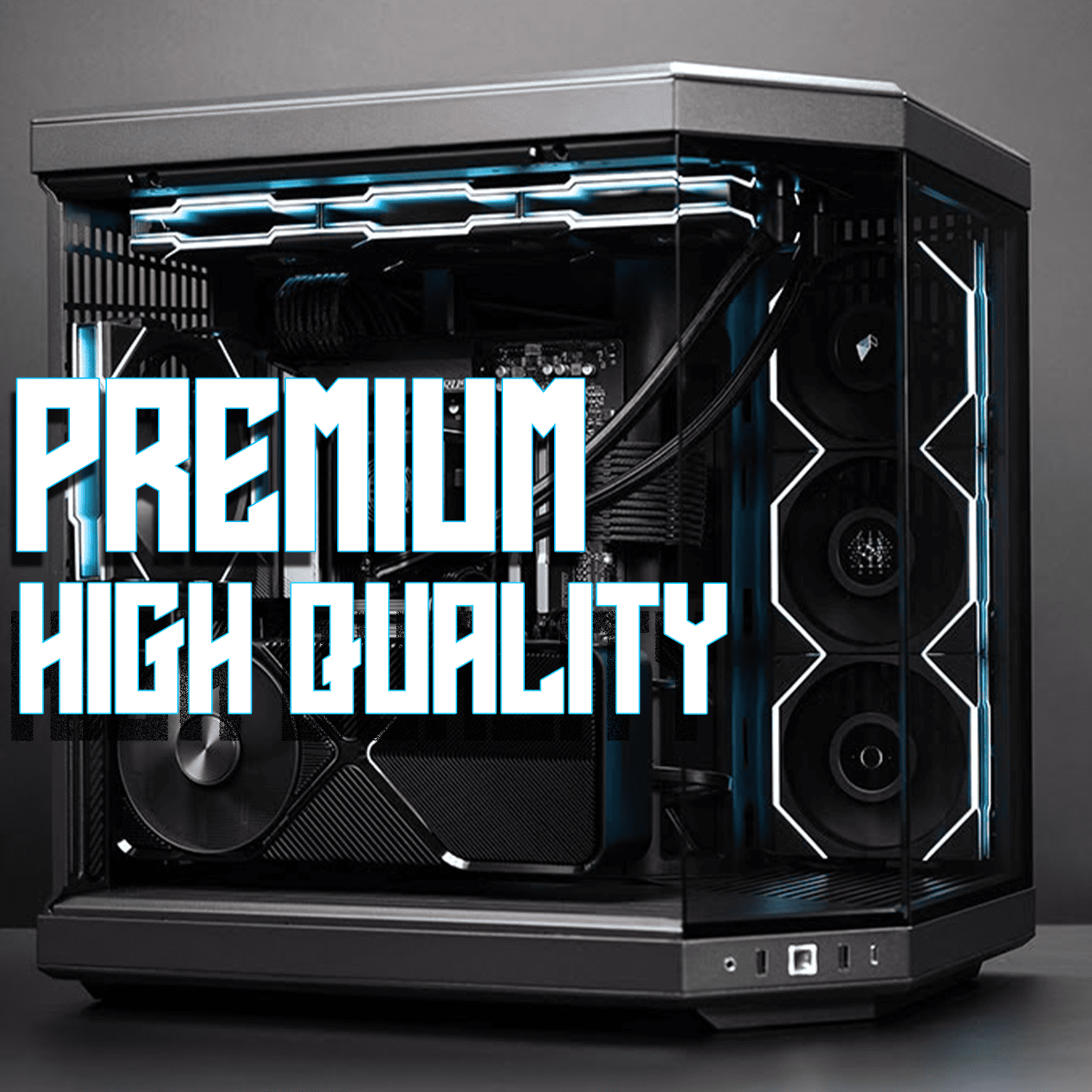



A good Gaming PC is recognised by the balance between quality components: a latest-generation processor with at least 6 cores, a dedicated graphics card with a minimum of 8GB VRAM, 16-32GB of DDR5 RAM, an NVMe SSD of at least 1TB, an 80 Plus certified power supply with adequate wattage, and an efficient cooling system. But technical specifications are only half the story: professional assembly, component compatibility and the retailer's warranty make the difference between a high-performing machine and a bad investment.
Standing in front of a shop window or a webpage full of configurations, have you ever wondered how to tell a genuine Gaming PC apart from a build that promises stellar performance but disappoints as soon as you switch it on? You're not alone. The market is saturated with offers that seem unmissable but hide outdated components, unbalanced configurations or poor power supplies that put the entire system at risk.
Recognising a good Gaming PC isn't just about reading a list of technical specs. It's about understanding whether those components work in harmony, whether the price reflects the machine's real value, and whether whoever built it actually knows what they're doing. In this complete guide you'll discover the essential criteria that separate a professional build from a cheap assembly destined to disappoint you.
As an official NVIDIA and MSI partner, at Breunor we've been building Gaming PCs since 2019 and have seen thousands of configurations. We'll show you exactly what to look for, which questions to ask and which warning signs to never ignore.
The Fundamentals of a Good Gaming PC
Before diving into technical details, it's essential to understand the core principle that separates a professional Gaming PC from a mediocre one: balance. A thousand-euro processor paired with an entry-level graphics card is a waste of money. Likewise, a top-tier GPU held back by a dated processor will never reach its full potential.
A good Gaming PC isn't a random sum of expensive components. It's a designed ecosystem where every element supports the others without creating bottlenecks. The processor handles game calculations and system operations. The graphics card turns those calculations into smooth images on screen. RAM provides immediate working space. Storage loads resources quickly. The power supply delivers stable, clean power. The cooling system keeps everything at optimal temperatures.
When one of these elements is undersized or oversized relative to the others, the entire machine suffers. That's why a PC assembled by professionals, with components selected to work together, is always worth more than an improvised configuration based purely on available budget.
What Sets a Gaming PC Apart from a Regular Computer
The fundamental difference between a Gaming PC and an office computer lies in graphics performance and real-time computing capability. A regular PC can run on integrated graphics sufficient for web browsing, video streaming and office applications. A Gaming PC requires a dedicated graphics card with its own memory, capable of rendering dozens or hundreds of frames per second in complex three-dimensional scenarios.
But it's not just about the GPU. Gaming processors have higher clock speeds and architectures optimised for parallel workloads. RAM is faster and more abundant. Storage prioritises absolute speed with NVMe SSDs instead of mechanical hard drives. The power supply has higher power margins to handle consumption spikes during intensive sessions.
Another often underrated aspect is cooling. A regular PC can run fine with basic fans because its components generate little heat. A Gaming PC under stress can reach critical temperatures if not equipped with adequate coolers or liquid cooling systems. Excessive temperatures cause thermal throttling — the automatic slowdown of components to prevent damage — wiping out any performance advantage.
The PC's Processor
The processor is the component that orchestrates all system operations. In modern games it handles the game engine's physics, enemy AI, environmental simulations and coordinates the graphics card's workload. An inadequate processor creates the dreaded bottleneck effect: the GPU might be able to render 200 fps but the CPU can only process 60, limiting overall performance.
For current gaming, the bare minimum is a processor with at least 6 cores and 12 threads. This is because modern games distribute the workload across multiple cores simultaneously. A base clock of at least 3.5 GHz and a boost clock exceeding 4.5 GHz ensure responsiveness even in the most intense moments.
Intel or AMD?
The battle between Intel and AMD in the gaming segment is more balanced than ever. Intel dominated for years thanks to superior single-core clock speeds, critical for games that don't make heavy use of multi-threading. AMD has caught up with its Ryzen architectures, offering more cores at competitive prices and lower power consumption.
In 2026, both manufacturers offer excellent gaming processors. For pure competitive gaming, the latest-generation Intel Core Ultra 5 and Core Ultra 7 processors deliver solid frame rates in esports titles. For those seeking versatility, simultaneous streaming or video editing, AMD's Ryzen 5 9600X and Ryzen 7 9800X3D — based on the Zen 5 architecture — provide superior multi-thread performance while maintaining excellent gaming.
The choice depends on your specific use case and budget. What really matters is the processor's generation: a latest-generation Intel Core Ultra 5 beats an eighth-gen i7. A Ryzen 7 from the 9000 series outperforms a Ryzen 9 from the 3000 series. Always be wary of configurations that boast a high-end CPU but omit the generation. They often hide processors 4-5 years old sold as if they were current.
Cores, Threads and Clock Speed
A core is a physical processing unit within the processor. Threads are execution flows: thanks to Intel's Hyper-Threading or AMD's simultaneous multithreading, each core can handle two threads at once. A 6-core, 12-thread processor can therefore run 12 operations in parallel.
Clock speed, measured in GHz, indicates how many processing cycles the processor completes in a second. Higher clock speeds mean faster operations, but consume more power and generate more heat. Modern processors have a base clock and a boost clock: the base is the normal operating speed, the boost is the peak reachable when needed.
For gaming, boost clock is often more important than core count beyond a certain threshold. Older or competitive games favour high clock speeds on fewer cores. Modern triple-A games make better use of multi-core configurations. A balance like 6 cores at 4.5 GHz or 8 cores at 4.0 GHz represents the sweet spot for most gamers. The Ryzen 7 9800X3D with 3D V-Cache technology is often cited as the ultimate gaming CPU in 2026 for its superior in-game performance, with 96 MB of L3 cache and boost clocks up to 5.2 GHz on the AM5 socket.
The Graphics Card
If the processor is the brain, the graphics card is the heart of the Gaming PC. It's the component that turns game data into images on screen, handles high-resolution textures, calculates dynamic lighting and ray tracing, and determines how many frames per second you actually see. The choice of GPU influences your gaming experience more than any other component.
A good Gaming PC in 2026 runs a graphics card with at least 8GB of dedicated VRAM. VRAM is the video memory that holds textures, 3D models and graphics buffers. Full HD gaming requires 6-8GB. For 1440p you need 10-12GB. For 4K, 16GB or more is recommended. Cards with insufficient VRAM are forced to rely on system RAM, which is much slower, causing stuttering and performance drops.
But VRAM capacity is just one parameter. GPU architecture, memory bus width, clock speed and raw computing power determine overall performance. An RTX 5060 with 8GB easily outperforms a GTX 1080 Ti with 11GB despite having less VRAM, thanks to a more modern, efficient architecture.
NVIDIA or AMD: Choosing the Right GPU
NVIDIA dominates the gaming graphics card market with the GeForce RTX 5000 series, based on the Blackwell architecture, thanks to proprietary technologies like DLSS 4 with Multi Frame Generation — which generates up to three additional frames for every real frame, multiplying frame rates by up to 8x — and ray tracing with fourth-generation RT Cores. The RTX 5060, RTX 5070 and RTX 5080 represent the entry, mid and high tiers of modern gaming respectively, with GDDR7 memory.
AMD offers the Radeon RX 9000 series with RDNA 4 architecture, competitive in raw performance and often more accessible within the same tier. The RX 9060 XT, the RX 9070 and the RX 9070 XT offer 16GB of GDDR6, third-generation ray tracing and the new AI-based FSR 4 technology. AMD's FSR 4 technology works across more hardware, but exclusive Multi Frame Generation features remain NVIDIA's domain with DLSS 4.
For pure gaming in traditional rasterisation, AMD often offers more VRAM and better performance per euro spent. If you prioritise ray tracing, streaming, AI or content creation, NVIDIA provides a more mature software ecosystem and exclusive technologies. As an official NVIDIA partner, Breunor builds Gaming PC systems with GeForce RTX, guaranteeing maximum compatibility and software support.
Matching the GPU to Your Monitor's Resolution
The graphics card power you need depends closely on the resolution you intend to game at. A Full HD monitor (1920x1080) requires around 2 million pixels. A 1440p one (2560x1440) needs 3.7 million. A 4K one (3840x2160) reaches 8.3 million. More pixels to render means more GPU power required.
For Full HD at high details with 60+ fps, an RTX 5060 or RX 9060 XT is sufficient. For smooth 1440p, you need an RTX 5070 or RX 9070 XT. For demanding 4K, RTX 5080 or RTX 5090 is the minimum. Beyond resolution, consider refresh rate: a 144Hz monitor requires a GPU capable of generating at least 144 fps to make full use of it.
A common mistake is pairing a 1080p 60Hz monitor with a top-tier GPU, wasting potential, or pairing a 4K 144Hz monitor with an entry-level GPU, resulting in a frustrating experience. Always assess the monitor-GPU pairing as a single system. If you already have a monitor, choose the appropriate GPU. If starting from scratch, balance the investment between the two.
RAM: How Much You Really Need for Gaming
RAM is the system's temporary working memory. This is where the data that the CPU and GPU need quick access to resides: files from the running game, textures waiting to be loaded into VRAM, system processes, background applications. Insufficient RAM forces the system to use storage as virtual memory, drastically slowing down every operation.
In 2026, the absolute minimum for a Gaming PC is 16GB of RAM. This amount handles most modern games, the operating system and a few background applications like Discord or a browser without issue. If you stream, edit, or keep dozens of Chrome tabs open while gaming, 32GB is strongly recommended.
Beyond capacity, speed matters. DDR5 is the current standard for new systems, with speeds from 4800 MT/s upward. DDR4 remains valid for configurations with previous-generation processors. Kits at 6,000 MT/s represent a good balance between price and performance. Don't skimp on RAM: it costs relatively little and can make a real difference.
Dual Channel: Why Two Modules Beat One
Dual Channel configuration doubles memory bandwidth by installing two identical modules instead of just one. Two 8GB modules in dual channel offer significantly better performance than a single 16GB module, all else being equal. The performance increase ranges from 5% to 15% in games, with greater benefits in CPU-limited scenarios.
When buying RAM, always favour dual channel kits sold together. Two modules from the same manufacturer, model and production batch guarantee perfect compatibility. Buying separate modules can work, but you risk subtle incompatibilities that cause instability.
Install the modules in the correct slots as indicated in the motherboard manual, usually slots 2 and 4 on four-slot motherboards. Getting the slots wrong can silently disable dual channel, leaving you with halved performance without you even knowing.
Storage: SSDs, Capacity and Speed
Storage determines how quickly the system boots, how long you wait for loading screens in games, and how much space you have for your library. Mechanical hard drives (HDDs) are outdated technology for modern Gaming PCs. SSDs (Solid State Drives) offer speeds 10-100 times higher, eliminating frustrating loading times.
A good Gaming PC in 2026 has an NVMe M.2 PCIe 4.0 SSD of at least 1TB as its primary drive. Modern games weigh between 50 and 150 GB each, and loading times on a mechanical drive are unbearable compared to a fast SSD. It's better to start directly at 1TB, with the option to add a second SSD in future.
If the budget allows, an ideal configuration includes a fast 1TB NVMe SSD for the operating system and currently played games, plus a large 2-4TB SATA SSD or HDD for secondary storage, video, backups and occasionally played games. This dual setup offers the best of both speed and capacity without compromise.
PCIe 4.0 vs PCIe 5.0: Do You Really Need the Latest Generation
PCIe 5.0 NVMe SSDs promise double the speed of PCIe 4.0, theoretically reaching 14,000 MB/s in read speed. On paper they look like the future. In gaming practice, the difference between PCIe 4.0 and PCIe 5.0 is imperceptible. Current games don't even saturate PCIe 4.0's bandwidth.
PCIe 5.0 makes sense for professional workstations that continuously transfer enormous files. For pure gaming, a good 7,000 MB/s PCIe 4.0 SSD is more than enough and costs significantly less. PCIe 5.0 SSDs also generate more heat, requiring dedicated heatsinks.
Invest the budget you save into greater capacity rather than unused speed. A 2TB PCIe 4.0 SSD is a wiser choice than a 1TB PCIe 5.0 SSD at the same price.
The Power Supply: The Most Underrated Component
The power supply (PSU) converts alternating mains current into the stabilised direct current that components need. A poor power supply doesn't just provide insufficient power: it generates unstable voltages, electrical noise and inadequate protections. The result is random crashes, sudden reboots, accelerated component degradation and, in the worst cases, permanent hardware damage.
A good Gaming PC uses 80 Plus Gold certified power supplies or higher. The 80 Plus certification indicates energy efficiency: a Gold power supply converts at least 87-90% of the absorbed energy into usable power, wasting the rest as heat. Bronze (82-85%) and White (80%) are less efficient. Platinum (90-92%) and Titanium (92-94%) are excellent but cost more.
Beyond efficiency, wattage matters. RTX 5000 series GPUs require the ATX 3.0 / 12V-2x6 connector. A mid-range configuration with an RTX 5070 and a Ryzen 7 draws around 500W under stress: a 750W power supply offers a safe margin. A high-end configuration with an RTX 5080 needs 850W, while an RTX 5090 requires 1,000W or more.
Modular, Semi-Modular and Non-Modular Power Supplies
Non-modular power supplies have all cables permanently attached. Modular ones let you connect only the cables you need, removing unused ones. Semi-modular units have essential cables fixed (motherboard and CPU) and optional removable cables (SATA, PCIe).
Modularity improves cable management: fewer stray cables in the case mean better airflow and a tidier look. Non-modular units cost less but create tangles of unused cables that obstruct ventilation.
For a Gaming PC, a semi-modular unit represents the ideal balance between convenience and practicality. You spend a little more than a non-modular unit but save compared to fully modular, while keeping the benefits of tidy cable management.

Cooling System: Keeping Temperature Under Control
An inadequate cooling system is the fastest way to degrade a Gaming PC's performance and longevity. When components overheat, they trigger thermal throttling: automatically reducing clock speed and voltage to lower temperature, causing fps drops and stuttering. Consistently high temperatures shorten hardware lifespan.
For mid-range processors, a good air cooler with a single or double tower and copper heatpipes keeps temperatures under control. These coolers cost 30-70 euros and offer excellent performance with low noise. Reliable brands include Noctua, be quiet!, Arctic and Cooler Master.
For high-end processors with a TDP above 125W, 240mm or 360mm All-In-One (AIO) liquid cooling systems are recommended. AIOs combine cooling efficiency, quietness and a clean look. Quality models start at 100 euros. Avoid cheap AIOs under 70 euros: they're often noisy, unreliable, and cool worse than a well-designed air cooler.
The Importance of Airflow in the Case
The case isn't just an aesthetic detail. Its structure determines how air circulates between components. A case with inefficient airflow turns even the best cooling system into a mediocre one. The basic principle is simple: cool air enters from the front and bottom, hot air exits from the rear and top.
A good gaming case has at least three fans: two front intake fans (drawing in cool air) and one rear exhaust fan (expelling hot air). Premium cases offer space for six or more fans, allowing advanced configurations with more intake than exhaust for positive internal pressure, reducing dust build-up.
Check that the case supports the cooler or radiator you intend to fit. A 360mm radiator requires adequate front or top space. A 165mm tall air cooler won't fit in compact cases with limited clearance. Always check compatibility specifications before buying.
The Motherboard: Foundation and Compatibility
The motherboard is the platform on which all components connect and communicate. It determines which processors you can fit, how much RAM it supports, which expansion slots it offers and which technologies it enables. A cheap motherboard limits overall performance even with top-tier components.
The critical factor is socket compatibility. AMD Ryzen 9000 processors use the AM5 socket. Intel Core Ultra processors use the LGA1851 socket. An Intel processor physically won't fit an AMD motherboard and vice versa. Beyond the socket, the motherboard's chipset must support the specific processor generation.
A good gaming motherboard offers robust VRMs (voltage regulator modules) with adequate heatsinks to deliver stable power to the processor, multiple M.2 slots for fast SSDs, PCIe 4.0 support or higher for GPU and storage, quality integrated audio, and Gigabit Ethernet networking or higher. Investing in a mid-to-high-range motherboard protects your investment by allowing future upgrades without replacing the board.
Form Factor: ATX, Micro-ATX and Mini-ITX
Form factor defines the physical dimensions of the motherboard. ATX (305x244mm) is the full-size standard with maximum room for expansion: 4 RAM slots, multiple PCIe slots, numerous SATA and M.2 connectors. Micro-ATX (244x244mm) reduces dimensions while keeping sufficient RAM and PCIe slots for most builds. Mini-ITX (170x170mm) is compact but limited: 2 RAM slots and 1 PCIe slot.
For a complete Gaming PC, ATX or Micro-ATX are ideal choices. They offer room for future expansion, better ventilation and easier assembly. Mini-ITX is perfect for ultra-compact builds but requires careful planning, specific components and often costs more for the same specs.
Make sure the chosen case supports the motherboard's form factor. An ATX case accepts ATX, Micro-ATX and Mini-ITX. A Micro-ATX case only accepts Micro-ATX and Mini-ITX. A Mini-ITX case only accepts Mini-ITX.
Balancing Components: Avoiding Bottlenecks
A bottleneck occurs when one component limits the performance of the entire system. Imagine a processor that can process 200 fps but a graphics card that can only render 60: you're wasting CPU power. Or a GPU that could generate 144 fps but a CPU that only processes 90: you're wasting GPU power.
Perfect balance doesn't exist because it varies for every game and scenario, but there are sensible pairings in 2026. For entry-level GPUs like the RTX 5060 or RX 9060 XT, mid-range processors like the Ryzen 5 9600X or Intel Core Ultra 5 are ideal. For mid-range GPUs like the RTX 5070 or RX 9070 XT, you need a Ryzen 7 9800X3D or Intel Core Ultra 7. For high-end GPUs like the RTX 5080 or RTX 5090, top-tier processors like the Ryzen 9 9950X3D or Intel Core Ultra 9 285K avoid limitations.
RAM and storage must also be proportionate. A configuration with an RTX 5090 and Ryzen 9 but only 16GB of RAM will be limited in modern games that require 20GB+. Likewise, a 500GB SSD with 10 triple-A games installed will force you into constant uninstalls. Always assess the configuration as a complete ecosystem, not as a list of individual components.
Operating System and Drivers: Essential Software
A good Gaming PC comes with a genuine operating system correctly installed and activated. Windows 11 is the current standard for gaming, optimised for the latest DirectX 12 Ultimate, Auto HDR and DirectStorage technologies. A genuine retail Windows licence guarantees security updates, Microsoft support and full software compatibility.
Be wary of pre-built PCs sold without an operating system or with dubious licences at rock-bottom prices. These grey-market OEM licences or business volume keys violate Microsoft's terms of service and can be deactivated at any time, leaving you with a non-functioning system.
Equally critical are up-to-date drivers. Graphics card drivers are released monthly with optimisations for new games and bug fixes. A system with drivers 6 months out of date can underperform by 10-20% compared to the same hardware with updated drivers. A reliable seller ships the PC with the latest drivers pre-installed, ready to use with no technical setup required.
Warranty and After-Sales Support
The warranty separates a professionally assembled PC from one built in a garage. A serious retailer offers a complete warranty on the entire system, personally handling any issues without bouncing you between different component manufacturers. If the graphics card fails, you contact the seller who deals with it — you don't have to start warfare with NVIDIA or AMD support.
Always check the warranty duration. The legal minimum in Europe is 2 years, but premium retailers offer 3 years or more. Check exactly what it covers: only manufacturing defects or also accidental damage? Is it on-site with a technician coming to you, or do you have to ship the PC? How long does the repair take?
After-sales support makes a difference. A generic online forum won't solve issues specific to your system. A reliable retailer offers dedicated technical support via phone, email or chat, with technicians who know exactly your configuration because they built it themselves. This support is worth hundreds of euros in saved time and avoided frustration.
Warning Signs: How to Spot Misleading Offers
The Gaming PC market is full of traps for those who don't know what to look for. Seemingly convenient configurations hide unacceptable compromises or outdated components resold as current. Learning to recognise red flags protects you from bad purchases.
- First sign: unrealistically low prices. A "gaming" PC with an i7 processor, RTX card and 16GB RAM at 500 euros is impossible with new, genuine components. Either it uses components 5+ years old, or it fits counterfeit clones, or the power supply is a fire hazard. Component market value is objective: if the price seems too good to be true, there's a hidden catch.
- Second sign: vague or incomplete specifications. Descriptions like "powerful i7 CPU" without specifying the generation, "gaming graphics card" without the exact model, "fast RAM" without frequency, "quality power supply" without brand and certification. This vagueness hides poor or outdated components. A serious seller always specifies the brand, model and generation of every component.
- Third sign: generic or unknown power supply. If the configuration doesn't specify the brand and model of the power supply, or uses brands you've never heard of, it's a huge red flag. The power supply is the component you should never cut corners on. A poor one can damage the entire system. Look for reliable brands: Corsair, Seasonic, EVGA, be quiet!, Cooler Master.
- Fourth sign: stock photos instead of real photos. Generic images taken from the internet instead of photos of the actual product suggest the seller doesn't physically have the PC or is using photos of a different configuration than the one being sold. Reliable retailers show real photos of the assembled systems.
- Fifth sign: limited or absent warranty. Less than 24 months of full system warranty is unacceptable. "Components only" warranties that force you to handle individual RMAs with manufacturers are loopholes to avoid liability. The warranty must cover the entire assembled PC.
- Sixth sign: non-existent or suspicious reviews. Always check the seller's reviews on independent platforms. A total absence of reviews or only glowing 5-star reviews all published in the same period suggests fakes. Look for patterns of recurring issues reported by real customers: absent support, faulty components, specs different from what was promised.
Checklist: Essential Components of a Good Gaming PC
To sum up everything discussed, here's a complete checklist for evaluating any Gaming PC:
- Processor: Minimum 6 cores / 12 threads, current generation (Ryzen 9000 / Intel Core Ultra), boost clock above 4.5 GHz
- Graphics Card: Minimum 8GB VRAM, recent architecture (RTX 5000 series or RX 9000 series), suited to the monitor's resolution
- RAM: 16-32GB high-frequency DDR5, Dual Channel configuration
- Storage: NVMe PCIe 4.0 SSD of at least 1TB as the primary drive
- Power Supply: 80 Plus Gold certified or higher, reliable brand, adequate wattage with a 20-30% margin, ATX 3.0 / 12V-2x6 connector for RTX 5000 GPUs
- Cooling: Tower cooler or 240mm+ AIO for CPU, case with good airflow and at least 3 fans
- Motherboard: Compatible with the CPU (AM5 or LGA1851 socket), current chipset, adequate VRMs, support for modern technologies
- Operating System: Genuine activated Windows 11, up-to-date drivers pre-installed
- Warranty: Minimum 24 months on the entire system, handled by the retailer
- Assembly: Professional with tidy cable management, completed stability tests

Frequently Asked Questions
How much does a good gaming PC cost in 2026?
A balanced entry-level Gaming PC starts at 800-1,000 euros with current components capable of smooth Full HD gaming. The mid-range at 1,200-1,800 euros offers an excellent 1440p experience with high details. The high-end above 2,000 euros guarantees 4K, ray tracing and maximum performance. Be wary of "gaming" configurations under 700 euros: they invariably contain unacceptable compromises.
Is it better to buy a pre-built PC or build it yourself?
If you have technical experience and time, building offers maximum customisation and potential savings. If you lack the skills, the risk of incompatibility, damage from incorrect assembly or troubleshooting issues outweighs the savings. A pre-built PC from a reliable retailer includes professional assembly, stability testing, full warranty and technical support, eliminating risks and frustrations.
How often should a gaming PC be upgraded?
A well-configured Gaming PC remains competitive for 4-6 years before requiring significant upgrades. The graphics card usually becomes the first limitation after 3-4 years and can be easily replaced. The processor lasts longer. RAM and storage are easily expandable. Planning a build with quality components and room for future upgrades maximises the longevity of your investment.
Do pre-built PCs use worse components?
It depends on the seller. Unreliable retailers use basic OEM components, poor power supplies and entry-level versions of the advertised components. Reliable retailers like Breunor use retail components identical to those sold individually, with full manufacturer warranties. Always check the exact specifications: the brand, model and version of every component must be clearly stated.
What does it mean that Breunor is an official NVIDIA and MSI partner?
The official partnership guarantees access to certified genuine components, direct technical support from manufacturers, ongoing training on new technologies and the ability to offer validated, optimised configurations. Our systems with GeForce RTX 5000 series and MSI motherboards are assembled following official guidelines, rigorously tested and backed by extended warranty. It's not just a badge: it's the assurance of buying genuine hardware and professional configurations.
Choose Breunor's Certified Quality
Recognising a good Gaming PC requires technical knowledge, experience and attention to detail. Every configuration we build at Breunor goes through certified component selection, professional assembly with optimised cable management, complete stress testing to verify thermal stability and performance, installation of a genuine operating system and up-to-date drivers, and a final quality check before shipping.
As Italy's go-to shop for custom-built computers and hardware, we offer balanced configurations for every budget, genuine components from the best brands with full warranty, personalised technical consultancy to find the perfect configuration for your needs, and dedicated after-sales support managed directly by our team.
Visit our online catalogue at breunor.com to explore our custom Gaming PC configurations, workstations and selected hardware components. If you have any doubts or questions, our team is available for a free consultation to guide you towards the ideal Gaming PC for you. Don't settle for promises: choose the certainty of a system assembled by professionals.
1 comment
Giuseppe
Che bell’idea, ottimi articoli che guidano ad effettuare un acquisto consapevole!
Che bell’idea, ottimi articoli che guidano ad effettuare un acquisto consapevole!